10 Crucial Features of the AWS MCP Server You Need to Know
After months of development and community feedback, the AWS MCP Server has officially reached general availability. This managed remote Model Context Protocol (MCP) server is designed to bridge the gap between AI agents and robust AWS access—without compromising security or governance. If you’ve ever struggled to give a coding assistant real, authenticated access to your cloud resources without exposing your entire account, this tool is the answer. Below, we break down the ten essential features that make the AWS MCP Server a game-changer for developers and AI enthusiasts alike.
1. What Is the AWS MCP Server?
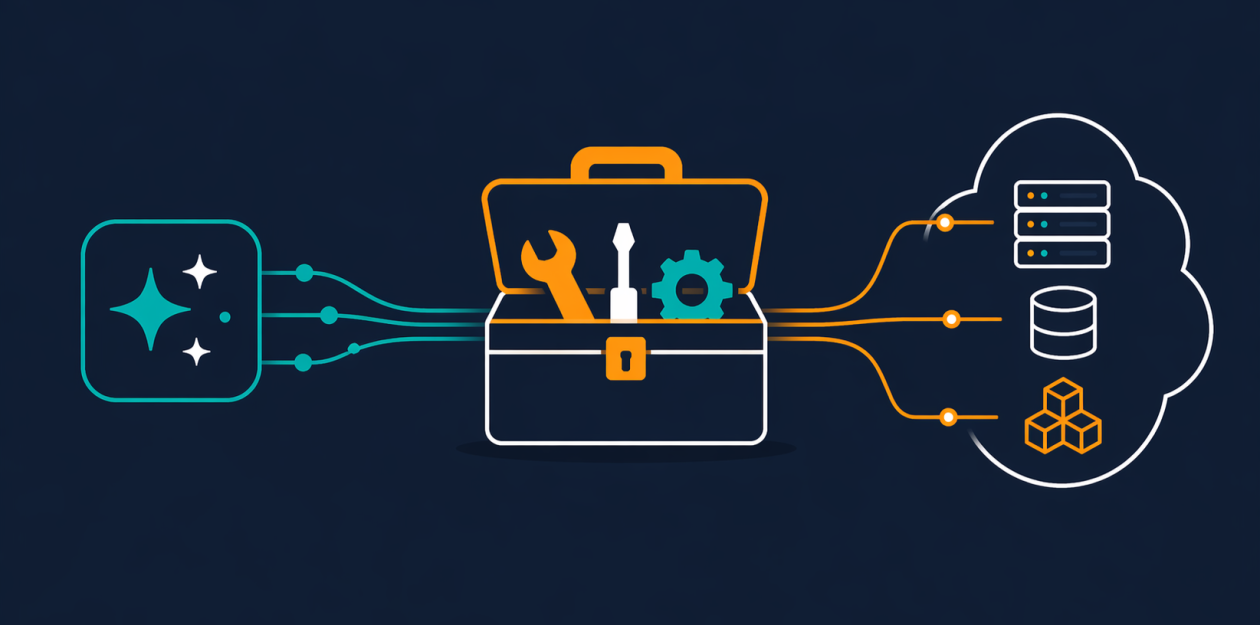
The AWS MCP Server is a fully managed service that implements the Model Context Protocol (MCP). It provides a secure, authenticated bridge between AI agents (including coding assistants like Amazon Q Developer or Claude Code) and all AWS services. Instead of forcing agents to work with stale documentation or risky shell commands, the server exposes a small, fixed set of tools that abstract away complexity. It’s part of the broader Agent Toolkit for AWS, which also includes skills, plugins, and other integrations. With general availability, the server is now production-ready and supports fine-grained access controls, making it safe to use in enterprise environments.
2. Solves the Problem of Outdated Agent Knowledge
AI agents often rely on training data that can be months old, meaning they may not know about recently launched services like Amazon S3 Vectors, Amazon Aurora DSQL, or Amazon Bedrock AgentCore. When asked to build infrastructure, they default to the AWS CLI instead of modern infrastructure-as-code tools like AWS Cloud Development Kit (CDK) or AWS CloudFormation. This leads to demo-ready but not production-ready results. The AWS MCP Server addresses this by providing real-time documentation retrieval. The search_documentation and read_documentation tools fetch current AWS best practices and API references at query time, so your agent always works from up‑to‑date information.
3. The call_aws Tool: Access 15,000+ API Operations
At the heart of the server is the call_aws tool. It allows an AI agent to invoke any of the 15,000+ AWS API operations using your existing IAM credentials. This means the agent can list EC2 instances, create S3 buckets, invoke Lambda functions, or perform any other action—all through a single, controlled interface. Because the tool uses standard AWS IAM, you can apply the same fine-grained policies you already use. New APIs are supported within days of launch, so your agent never lags behind the AWS roadmap. This dramatically reduces the context consumed compared to teaching the agent to use the AWS SDK directly.
4. Real-Time Documentation Retrieval (No Auth Required)
When the server first launched, accessing documentation required authentication. With general availability, the documentation retrieval tools no longer need any authentication. Any agent—even one without IAM permissions—can query the AWS documentation repository. This is particularly useful for agents that need to understand best practices before performing actions. The search_documentation tool returns relevant documentation snippets, while read_documentation fetches full pages. Both are optimized to consume minimal tokens and return results quickly, keeping your agent’s context window free for actual work.
5. IAM Context Keys for Fine‑Grained Access Control
One of the most requested features during the preview phase was the ability to fine‑tune permissions without extra IAM policies. Now, the server supports IAM context keys. You no longer need a separate permission to use the MCP server itself. Instead, you can express granular access conditions directly in your standard IAM policies—for example, limiting an agent to read-only actions on specific resource tags or restricting API calls to certain regions. This aligns with the principle of least privilege and makes governance much simpler for teams that must pass security audits.
6. Reduced Token Consumption for Complex Workflows
Multi-step agent workflows can quickly exhaust the context window of large language models. The AWS MCP Server has been optimized to reduce the number of tokens used per interaction. This is achieved through compact tool definitions and efficient response serialization. For complex tasks like deploying a multi‑service application or analyzing a CloudTrail log, the reduced token overhead means your agent can complete longer sequences without running out of context. Developers testing the server report that complex requests that previously consumed 8,000 tokens now use only 3,500—a significant improvement.

7. The run_script Tool: Server‑Side Python Sandbox
Perhaps the most powerful addition at GA is the run_script tool. It allows an agent to write a short Python script that executes in a sandboxed environment on the server side. The sandbox inherits the agent’s IAM permissions but has no network access, no access to the local file system, and no shell capabilities. This is ideal for processing data or chaining multiple API calls in a single round‑trip. For instance, an agent can retrieve a list of EC2 instances, filter based on tags, and compute a summary—all in one script execution. This is faster, uses fewer tokens, and eliminates the need for multiple independent API calls.
8. Transition from Agent SOPs to Skills
The preview version of the AWS MCP Server relied on “Agent SOPs” (Standard Operating Procedures) to guide agent behavior. With GA, those have been replaced by Skills. Skills are curated, best‑practice guidance for common tasks—like setting up a VPC, deploying a web application, or configuring Amazon Bedrock. Each Skill includes step‑by‑step instructions, recommended API calls, and IAM policy templates. Agents can load a Skill at the start of a session and use it as a blueprint. This makes it easier for developers to encode institutional knowledge and ensure consistent, secure implementations.
9. Part of the Agent Toolkit for AWS Ecosystem
The AWS MCP Server doesn’t operate in isolation. It’s a core component of the Agent Toolkit for AWS, which also includes native plugins for popular IDEs (like VS Code and JetBrains), helper libraries for Python and TypeScript, and pre‑built integrations with Amazon Q Developer and GitHub Copilot. The toolkit provides a unified interface for building, testing, and deploying AI agents that interact with AWS. This ecosystem approach means you can start with the MCP Server and later add skills, plugins, or custom tools without changing your agent’s architecture.
10. Future‑Proof: New APIs Supported Within Days
A common frustration with AI agents is that they become outdated quickly as cloud services evolve. The AWS MCP Server is designed to stay current. Whenever AWS launches a new API, it becomes available on the server within days. This is possible because the server uses a live mapping of API operations to tool definitions. There’s no need to wait for a model retrain or a plugin update. Combined with the real‑time documentation tools, your agent will always have access to the latest services and best practices, making the server a long‑term investment in your AI infrastructure.
Conclusion
The AWS MCP Server’s general availability marks a significant milestone for anyone building AI‑powered tools on AWS. By providing secure, authenticated access through a compact set of tools, it eliminates the risks of giving agents full shell access or outdated documentation. Whether you’re a developer experimenting with AI assistants or an enterprise architect designing a secure automation pipeline, the features outlined above give you the control and confidence you need. Start exploring the AWS MCP Server today through the Agent Toolkit for AWS, and see how it transforms your agent’s ability to work with the cloud.